

 0
0
 0
0
Understanding How Omegle Bans Work
Before diving into solutions, it’s important to understand how Omegle enforces its bans. Omegle doesn’t require user accounts or registration, which means the platform identifies users primarily through their IP address. When you connect to Omegle, the servers record your IP address and can ban that address if you violate the community guidelines or trigger automated detection systems.
Common reasons for receiving an Omegle ban include dropping connections too frequently, reports from other users, flagged behavior patterns, playing copyrighted content during video chats, or simply being associated with suspicious activity. Some bans last only 24 hours, while others can extend to weeks or even months depending on the perceived severity of the violation.
The key to getting unbanned is obtaining a new IP address that Omegle hasn’t flagged. Once you have a fresh IP, the platform will treat you as a new user and allow access without restrictions.
Method 1: Use a VPN to Change Your IP Address
The most reliable and effective method to get unbanned from Omegle involves using a Virtual Private Network to acquire a new IP address. A VPN routes your internet connection through remote servers, effectively replacing your original IP address with one from the VPN’s network. According to cybersecurity experts at Wizcase, this approach provides the fastest and most consistent results for bypassing Omegle bans.
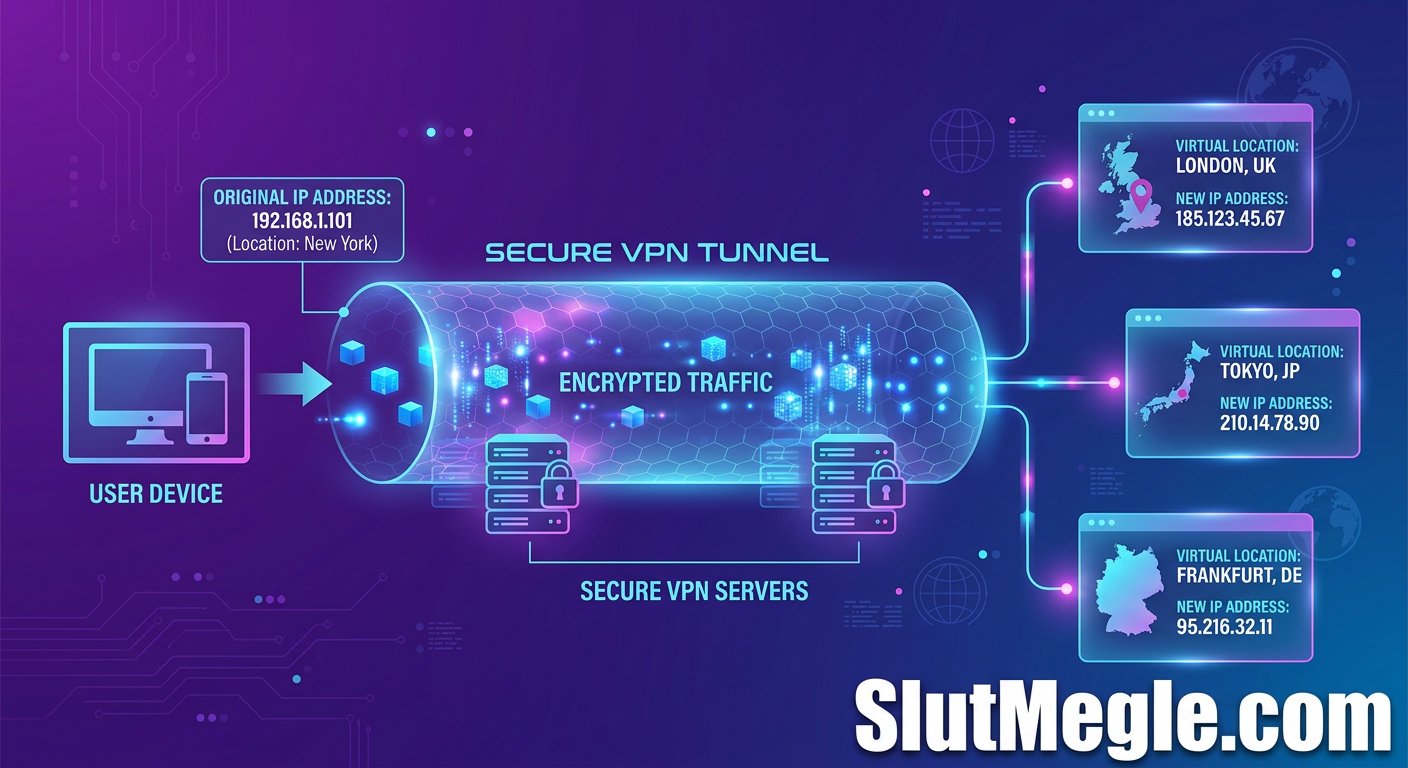
To use this method, subscribe to a reputable VPN service, install the application on your device, and connect to any server location. The VPN will assign you a new IP address, and you can immediately access Omegle without encountering your previous ban. Premium VPN services offer extensive server networks, giving you thousands of potential IP addresses to choose from.
For detailed VPN setup specifically optimized for Omegle, refer to our comprehensive Omegle VPN guide that walks you through every step of the configuration process.
Method 2: Connect to a Different Network
If using a VPN isn’t immediately available to you, connecting to a different network can provide an effective workaround. Your IP address is assigned by your Internet Service Provider based on your current network connection, so switching networks means you’ll receive a different IP address.
Consider these options for changing your network connection:
- Using mobile data instead of WiFi creates a completely different connection path with an IP address assigned by your cellular carrier
- Connecting to public WiFi at cafes, libraries, or other locations gives you the IP address of that network’s router
- Tethering to your phone’s hotspot routes your computer’s traffic through your mobile connection
Each of these methods can potentially bypass your Omegle ban by presenting a new IP address to the platform’s servers.
Method 3: Reset Your Router for a New IP Address
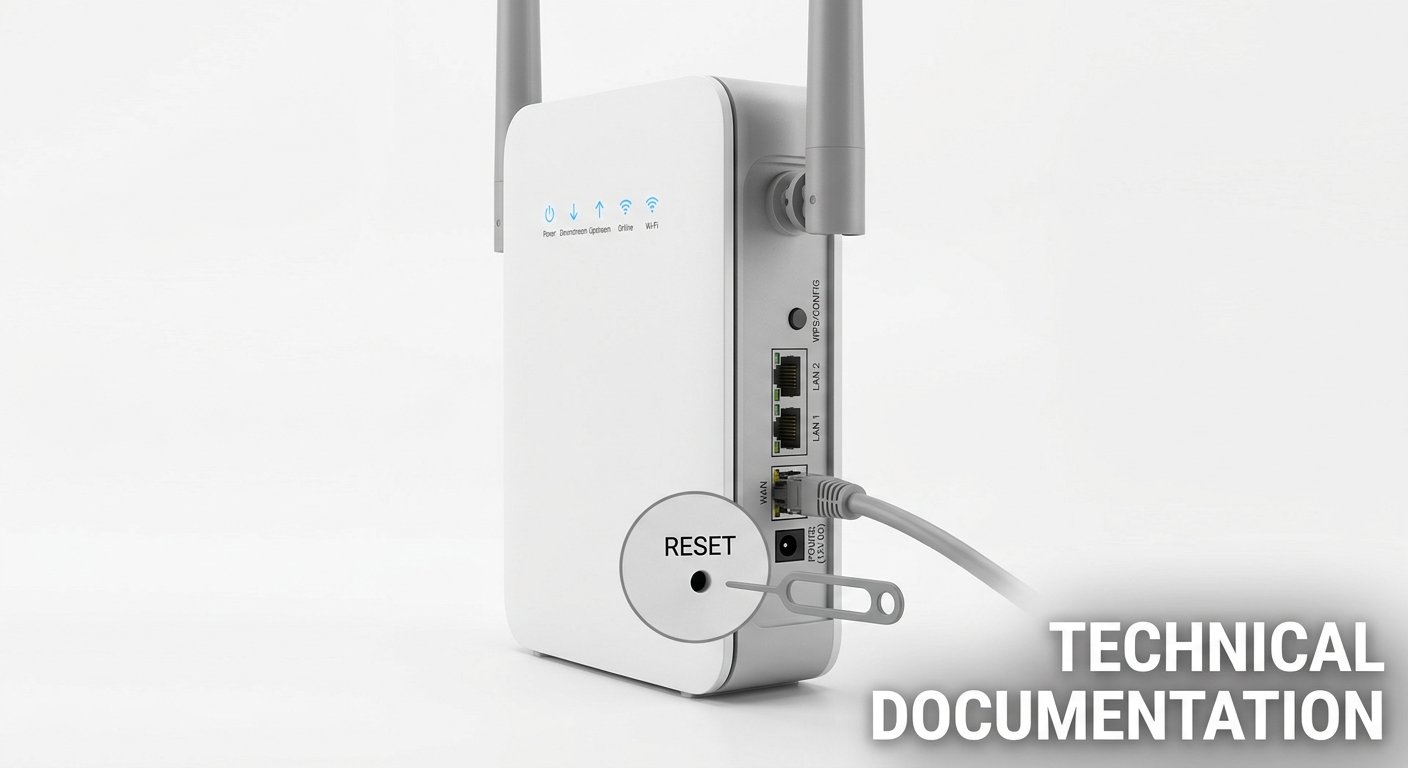
If you’re on a home internet connection with a dynamic IP address, resetting your router might give you a fresh IP. Most residential internet connections use dynamic IP addressing, meaning your ISP periodically assigns new IP addresses to your connection.
To attempt this method, power down your router completely and unplug it from the electrical outlet. Wait for several minutes, ideally 30 minutes to an hour, before reconnecting and powering it back on. When your router reconnects to the internet, it may request and receive a new IP address from your ISP’s DHCP server.
Keep in mind that this method isn’t guaranteed to work, as the timing of IP address renewal depends on your ISP’s DHCP lease settings and server capacity. Some ISPs assign the same IP address back to you regardless of how long you disconnect.
Method 4: Use a Proxy Service
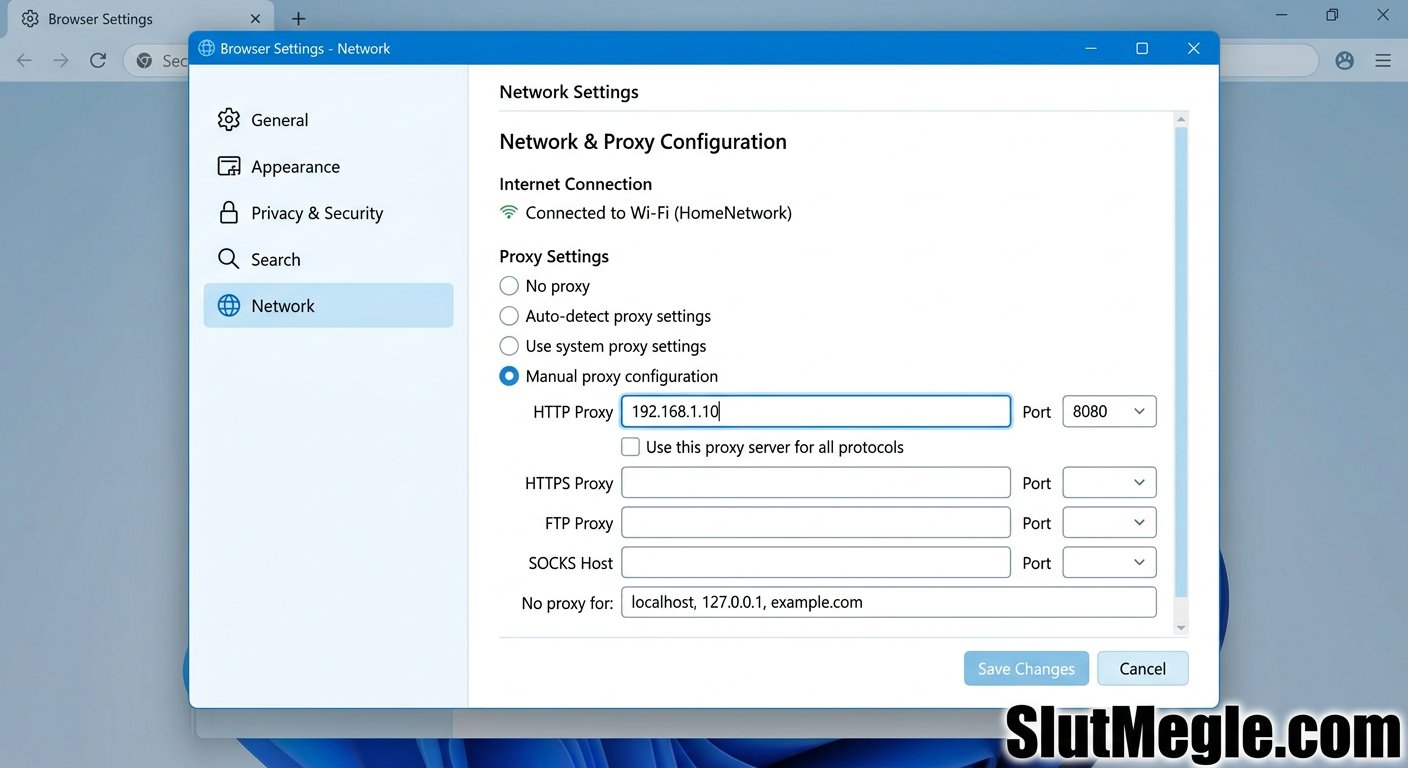
Proxy services function similarly to VPNs by masking your original IP address and presenting a different one to websites you visit. While proxies don’t offer the encryption and privacy protection that VPNs provide, they can effectively bypass Omegle bans by giving you access to a different IP address.
Free proxy services exist, but they often have limited IP address pools that Omegle has already flagged or blocked. Premium proxy services typically offer better results because they maintain larger, more frequently refreshed IP address networks.
When using a proxy, configure your browser to route traffic through the proxy server, then access Omegle as you normally would. The platform will see the proxy’s IP address instead of your actual address.
Method 5: Use Tor Browser
The Tor network provides another method for accessing Omegle with a different IP address. Tor routes your traffic through multiple relay nodes, each of which adds a layer of encryption and presents a different exit IP address to websites you visit.
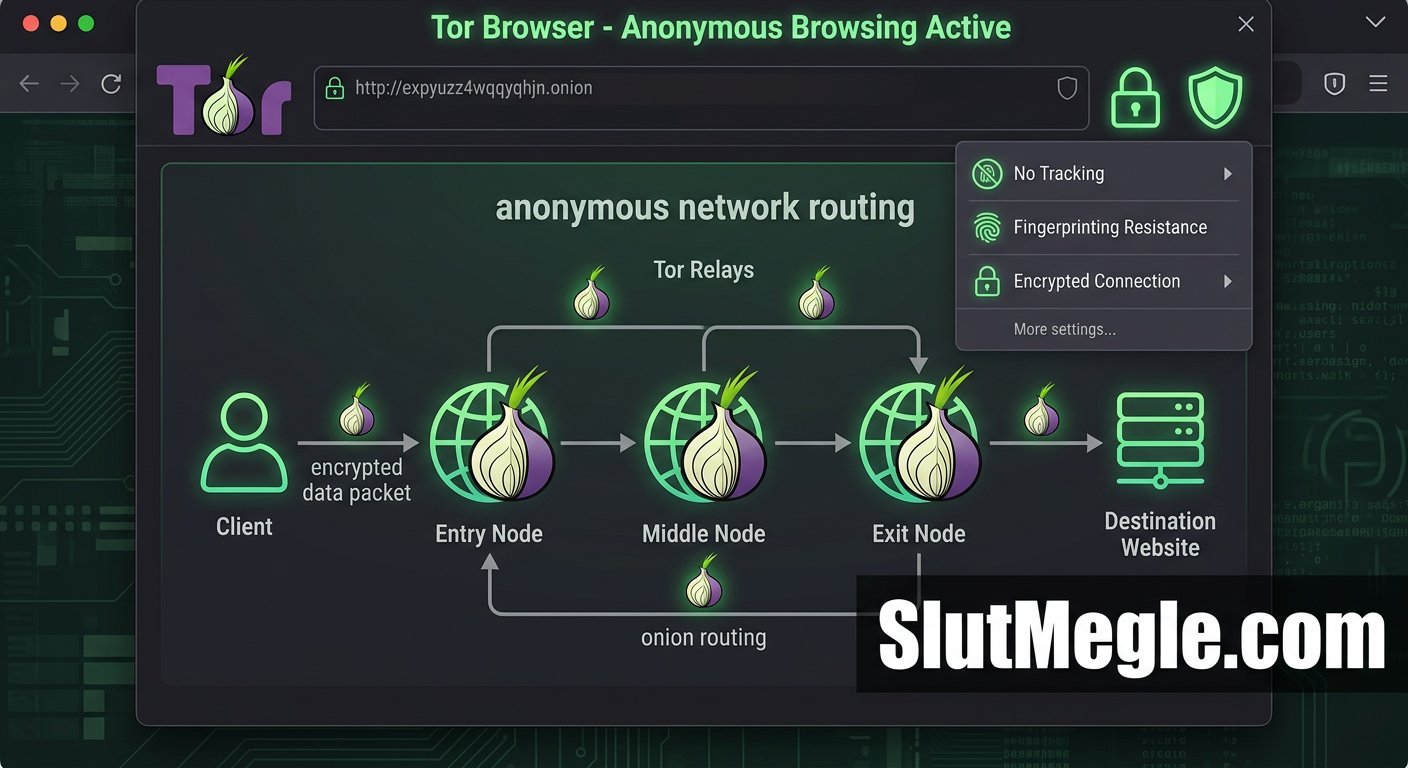
Download and install the Tor Browser from the official Tor Project website. Launch the browser and connect to the Tor network, which may take a moment to establish connections. Once connected, navigate to Omegle’s website and attempt to start a chat session.
Tor can be slower than standard internet connections due to the routing through multiple nodes, but it provides strong anonymity and frequently rotates IP addresses. Some users have reported success accessing Omegle through Tor after receiving bans.
Method 6: Wait Out Your Temporary Ban
Omegle’s automatic bans vary in duration based on the perceived severity of the violation. Some bans last only 24 hours, while others can persist for weeks or months. For shorter bans, simply waiting out the suspension might be the easiest solution.
Check the ban message you received for any indication of how long the suspension lasts. Temporary bans often expire without any action required on your part. However, for longer bans or repeat offenses, waiting may not be practical.
If you believe your ban was issued incorrectly or represents an excessive punishment, you can attempt to contact Omegle’s support team, though the platform has limited customer service resources and response times can be unpredictable.
Method 7: Clear Browser Cookies and Cache
Sometimes Omegle’s ban detection extends beyond just your IP address to include browser cookies and stored data that can identify you even after changing your IP. Clearing your browser’s cookies and cache removes these identifying markers and can help ensure your new IP address works properly.
In Chrome, press Ctrl+Shift+Delete (Cmd+Shift+Delete on Mac) to open the clear browsing data dialog. Select All time as the time range, check both Cookies and Cached images and files, then click Clear data. Similar options exist in Firefox, Edge, Safari, and other browsers.
After clearing this data, restart your browser completely and attempt to access Omegle with your new IP address. For additional privacy protection when accessing Omegle, our webcam privacy protection guide covers essential security practices.
Method 8: Try Different VPN Server Locations
If you’ve connected to a VPN but Omegle still shows a ban message, the server you chose might have an IP address that’s also been flagged. VPN services maintain thousands of servers, each with multiple IP addresses, and not all of them will work with Omegle.
Switch to a different VPN server location and try again. Some VPN providers even offer dedicated IP addresses that are less likely to be flagged because only you use them. If one server doesn’t work, try several until you find one that grants access.
For additional troubleshooting tips and advanced VPN configuration options, cybersecurity resources from AllThingsSecured provide detailed guidance on optimizing VPN connections for platforms like Omegle.
Preventing Future Bans
Once you’ve successfully regained access to Omegle, taking steps to prevent future bans keeps you connected longer. Avoid behaviors that trigger automated detection, such as frequently disconnecting from chats or engaging in content that other users might report.
Use privacy protection tools consistently, including VPNs and secure browsing practices. These tools not only protect your identity but can also help you avoid the triggers that lead to bans in the first place.
Be mindful of what appears on your camera during video chats, as playing copyrighted music or displaying inappropriate content can result in immediate bans. Maintain respectful communication with chat partners, as reports from other users are a common cause of suspensions.
Conclusion
Getting unbanned from Omegle requires changing your IP address, which you can accomplish through several methods ranging from simple network switching to VPN services. Understanding why you received the ban helps you avoid repeating the behavior that triggered it.
VPN services provide the most reliable and consistent solution for bypassing Omegle bans, making them the recommended approach for users who want quick restoration of access. For step-by-step setup instructions and additional privacy protection strategies, explore our related guides covering VPN configuration for Omegle and Omegle safety best practices.